We are actively exploring ways to capture phone calls on the same device.
For now, you can use Apple’s built-in phone call transcription feature as a workaround:
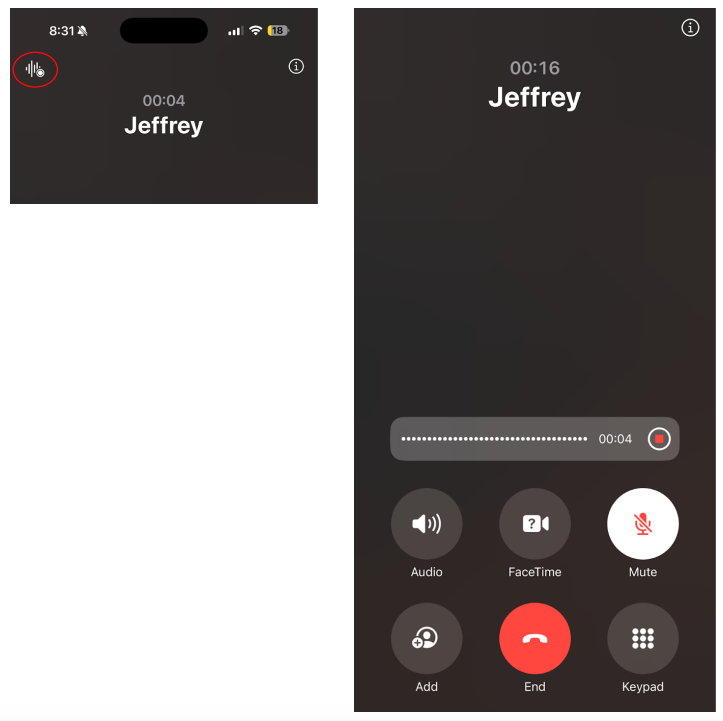
During a call, click on the wave button in the top left corner to start recording the conversation (refer to screenshot one).
Once you stop, the transcript is saved in your Notes app.
To paste the transcript, click Capture, then click Notes, and "Add Notes" and paste it in there to get a summary and action items!
We appreciate your input, and based on user feedback, we may consider implementing a more seamless import feature in the future to make this process even smoother.
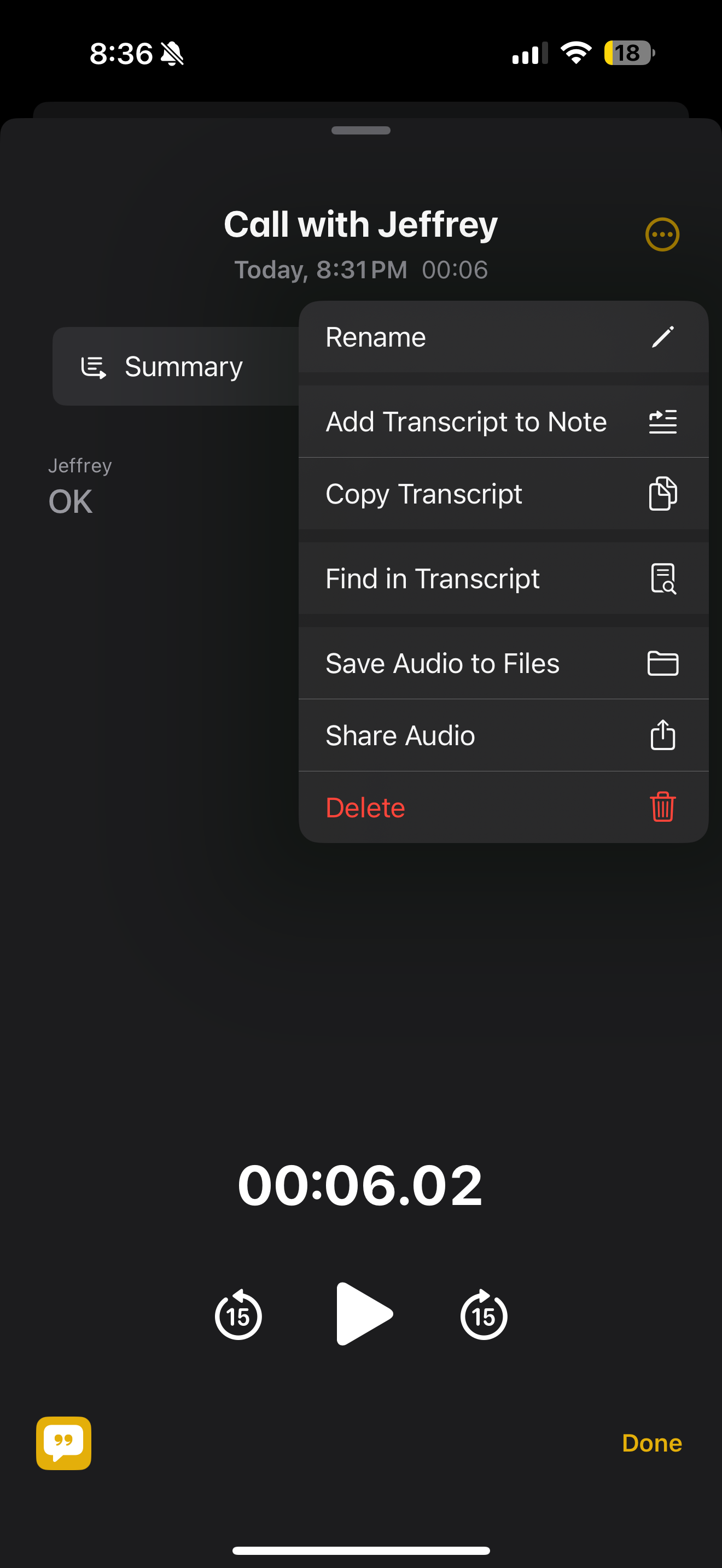
Transcript is now saved in notes app, after which you can copy the transcript as seen below.
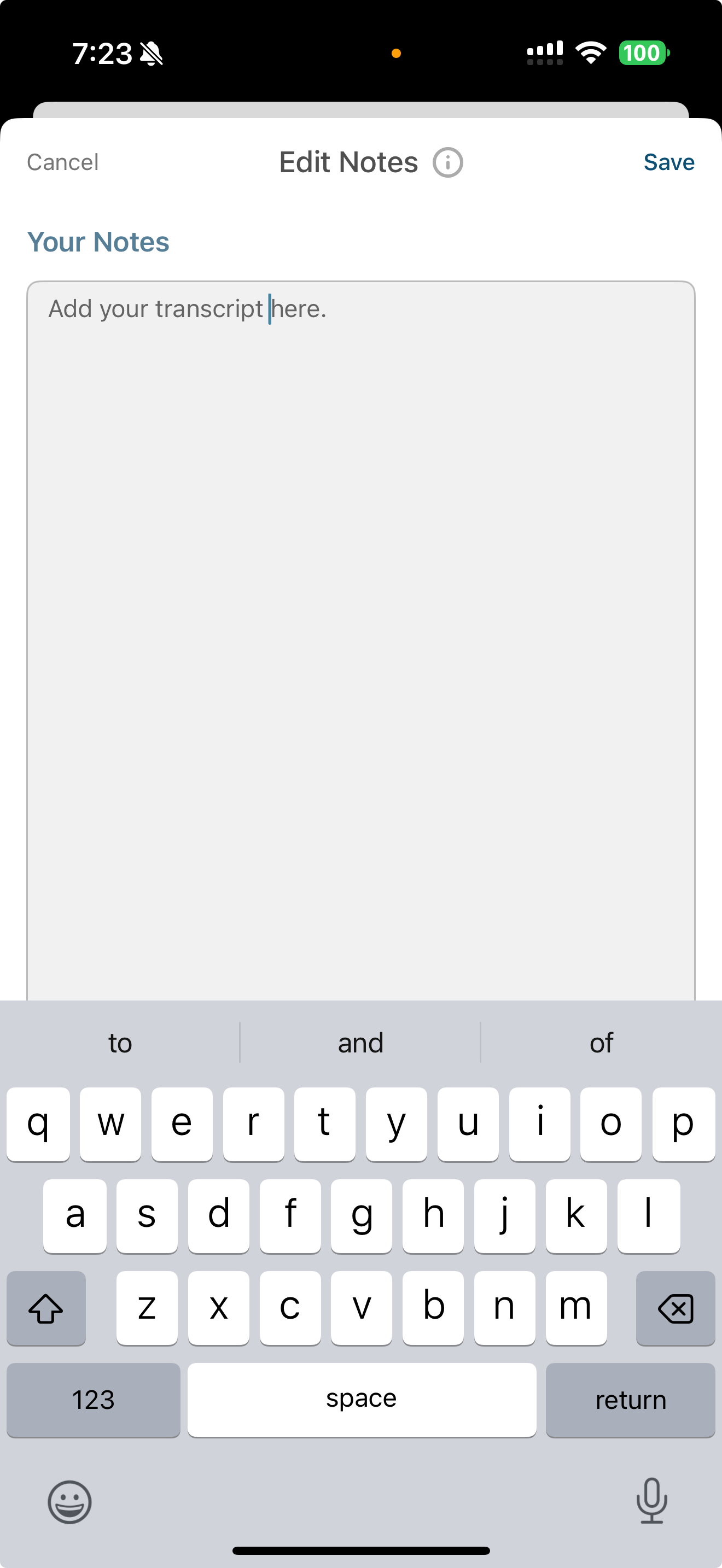
Once you have copied the transcript, go to the TwinMind app and hit the blue button to start a placeholder meeting. Then you can easily click on the “Add your notes” button under the notes tab, and paste the transcript there.

Hit save once you have added the transcript and then you will be prompted to “regenerate summary”. Once you have done that, you can click stop and this phone call conversation will now be stored within your TwinMind app and you can ask any follow up question!